Compatibility
Minecraft: Java Edition
Platforms
Supported environments


Creators
Tags
Details








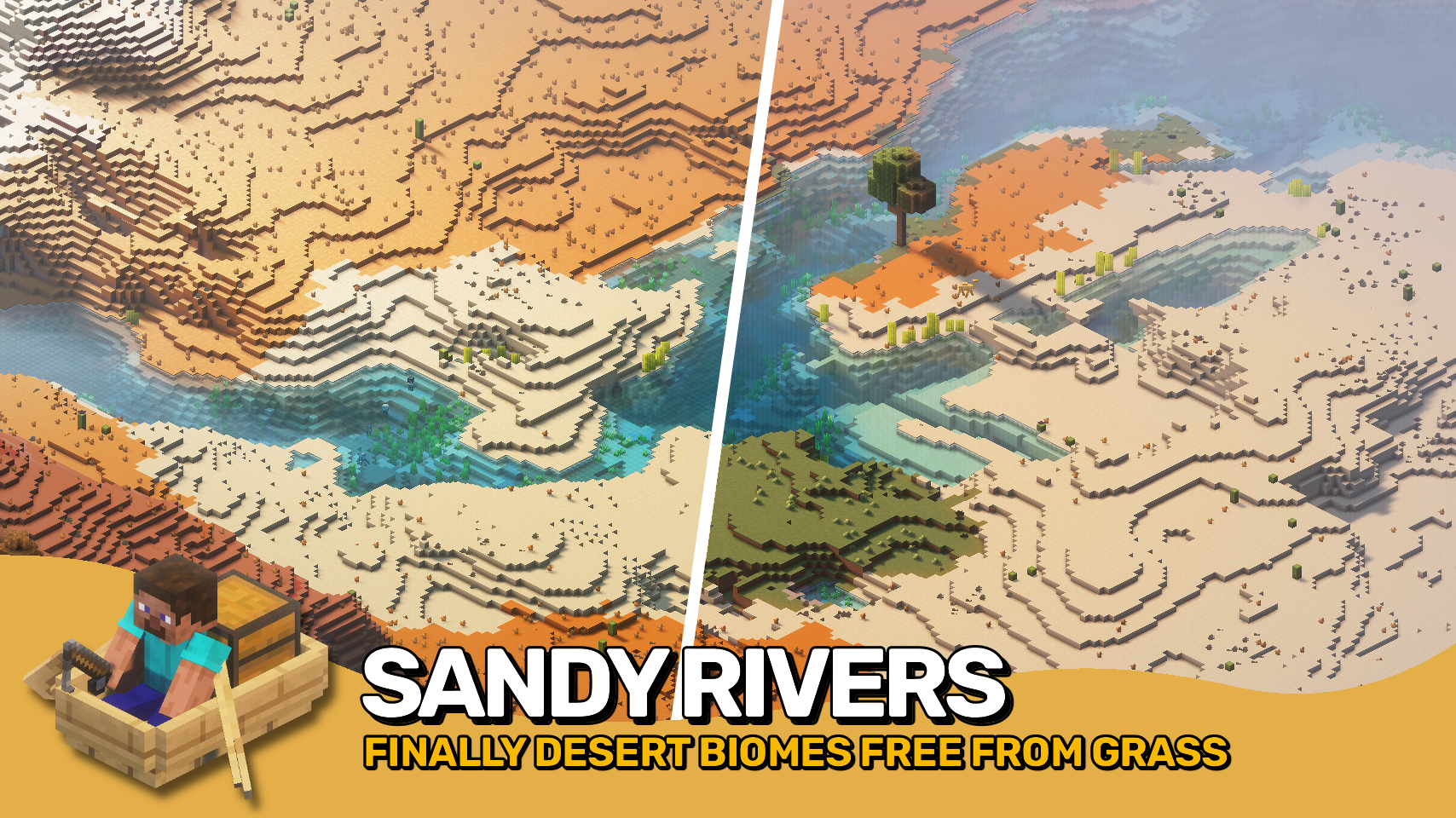
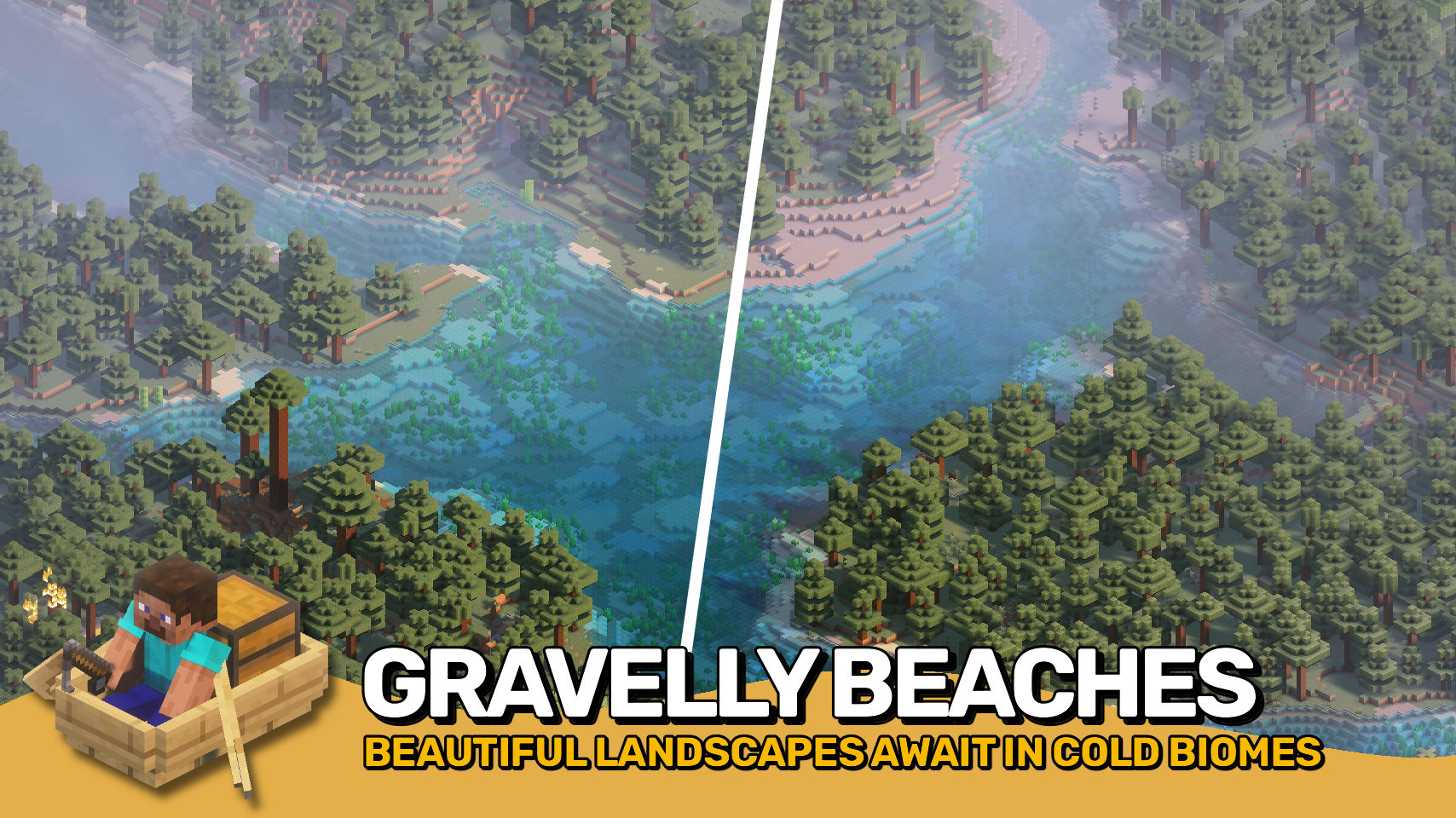
Say goodbye to ugly, out-of-place rivers! 🌊 Climate Rivers replaces Minecraft’s default river biome with beautiful, biome-specific rivers that actually make sense. Explore three new river types — warm 🏜️, lukewarm 🌴, and cold ❄️ — each bringing unique visuals that fit right into their surrounding climates.
No more grass blocks 🌱 ruining the look of your desert rivers, or taigas stuck with bland, grassy banks 🪨. Rivers now feel natural, immersive, and perfectly blended into the terrain around them. Ideal for builders 🧱, explorers 🧭, and anyone who wants a better-looking Minecraft world. It’s time to make your world generation smarter and more beautiful — one river at a time. 💧
Note: This mod may be overridden by other biome or world generation mods that feature their own terrain implementation.


⏩ INSTALLATION REQUIRED ON SERVER
⏩ REQUIRES PUZZLES LIB TO BE INSTALLED (FABRIC & NEOFORGE)
⏩ REQUIRES FABRIC API TO BE INSTALLED (FABRIC)
⏩ REQUIRES FORGE CONFIG API PORT TO BE INSTALLED (FABRIC)
⏩ REQUIRES BIOLITH TO BE INSTALLED (FABRIC & NEOFORGE)

If available for a mod, configuration is possible directly from in-game using the mod menu (requires Mod Menu by Prospector to be installed on Fabric). Please note that on older Minecraft versions installing Forge Config Screens is also a requirement.
For manual configuration using an external text editor all files are found at .minecraft/config, named as MOD_ID-client.toml, MOD_ID-common.toml, or MOD_ID-server.toml, depending on the type of config. Not all types might exist for a mod, if any at all.

🌟 Thanks to SuperCoder79 for inspiring parts of the implementation for this project with their River Redux mod.